How to Build a Complete Online Store with WordPress for Free
By VendMizer··6 min read
Many small businesses want to sell online without taking on a costly monthly platform, several disconnected plugins, or a complicated technical setup. You can build an online store with WordPress for free by using VendMizer Free, a complete WordPress eCommerce platform for managing your catalog, orders, payments, customers, and storefront from one connected system.
The goal is not simply to put products on a web page. A practical store also needs a reliable way to organize inventory, accept payments, review orders, support customers, and improve the buying experience. The steps below show how to create that foundation while keeping ownership of your store and leaving room to expand with VendMizer Pro.
How to Build an Online Store with WordPress for Free
1. Choose WordPress as your store foundation
WordPress gives you control over your website, content, domain, and hosting environment. Instead of moving your business into a closed marketplace, you can build your store on a platform you own and manage.
For a store owner, ownership means more than branding. It gives you a central place for product content, customer communication, search visibility, and future integrations. Choose dependable WordPress hosting, connect your domain, and use a professional theme or storefront design that makes products easy to browse on both desktop and mobile devices.
2. Install VendMizer Free
VendMizer is a standalone WordPress eCommerce platform, not merely a small add-on for another commerce system. VendMizer Free provides the core tools needed to start selling online without treating the free version as a trial.
After installation, use the setup process to define your store information, currency, tax approach, shipping settings, and customer communication preferences. Keeping these essentials in one system reduces the number of dependencies you need to configure and maintain.
3. Add products customers can understand
Start with clear product names, useful descriptions, accurate images, prices, variations, and stock information. Organize products into logical categories so shoppers can find what they need without searching through an unstructured catalog.
Good product data also makes daily management easier. When an order arrives, your team should be able to identify the item, selected variation, quantity, and customer details without checking several tools. VendMizer helps keep product and order information connected in the same administrative system.
4. Design a storefront that supports buying
Your storefront should answer the customer’s main questions quickly: What is being sold, how much does it cost, when can it arrive, and how can it be purchased? Use clear navigation, readable product layouts, visible calls to action, and a checkout path with as little friction as possible.
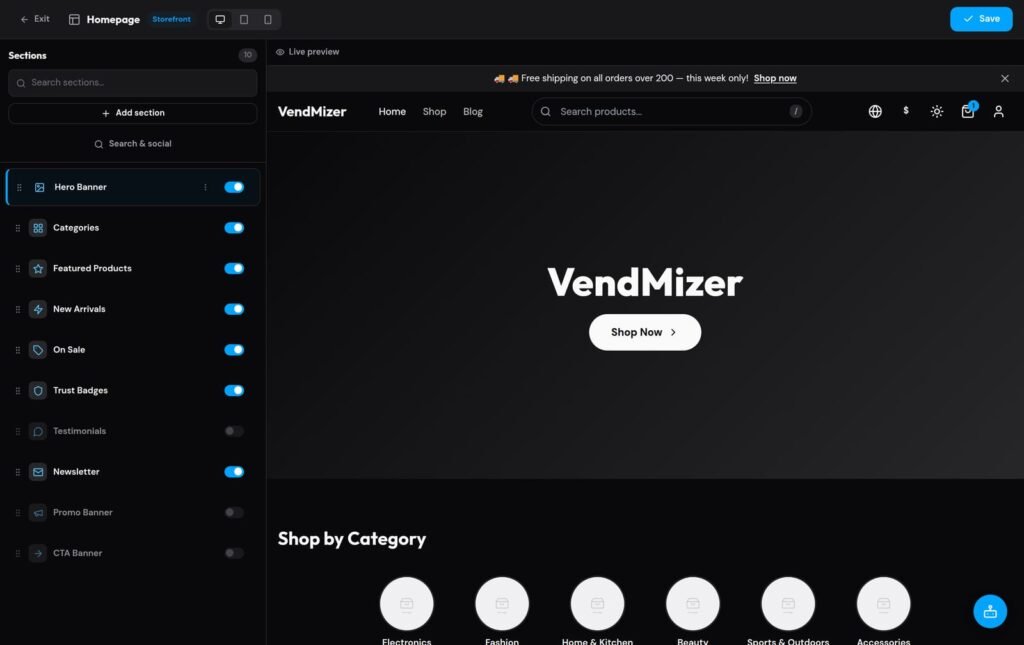
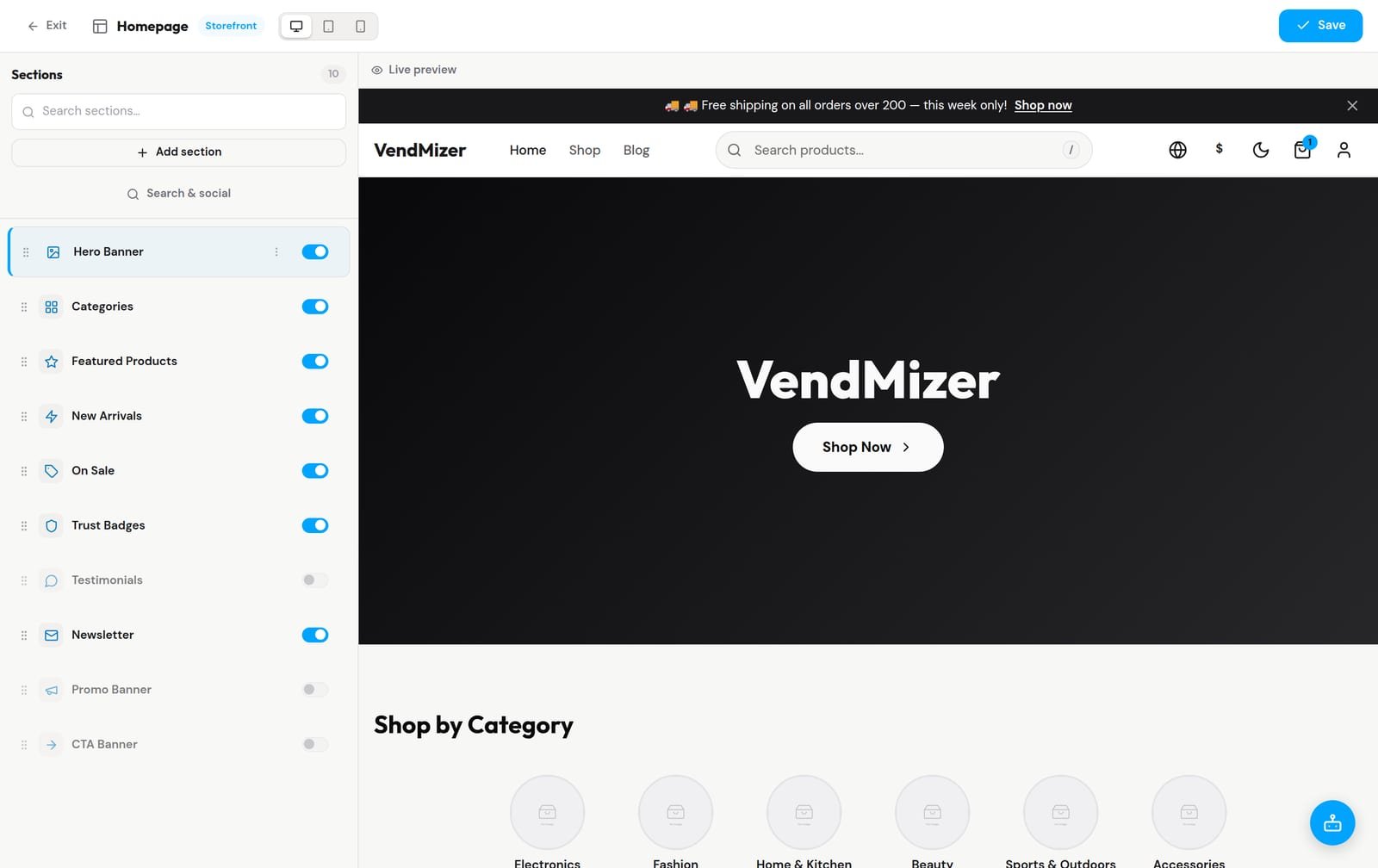
VendMizer includes a visual section editor that lets you reorder storefront sections beside a live preview. This allows you to adjust the presentation of your store without repeatedly switching between an editor and a separate preview screen.
Reorder storefront sections beside a live preview in VendMizer
5. Configure payments and delivery
A store is only useful when customers can complete a purchase confidently. Set up the payment methods that fit your market and explain shipping costs, delivery areas, processing times, returns, and any order conditions before checkout.
VendMizer brings payment and order information into one dashboard, helping you see what was purchased and how the order should be fulfilled. Depending on your business and location, your broader WordPress setup may also connect with services such as Stripe, PayPal, Tamara, Tabby, or Moyasar. Review each provider’s availability, fees, verification requirements, and supported currencies before enabling it.
6. Manage orders and customers from one dashboard
Once your store is live, daily operations matter as much as the initial design. You need to review new orders, update statuses, find customer records, and monitor revenue without moving between unrelated dashboards.
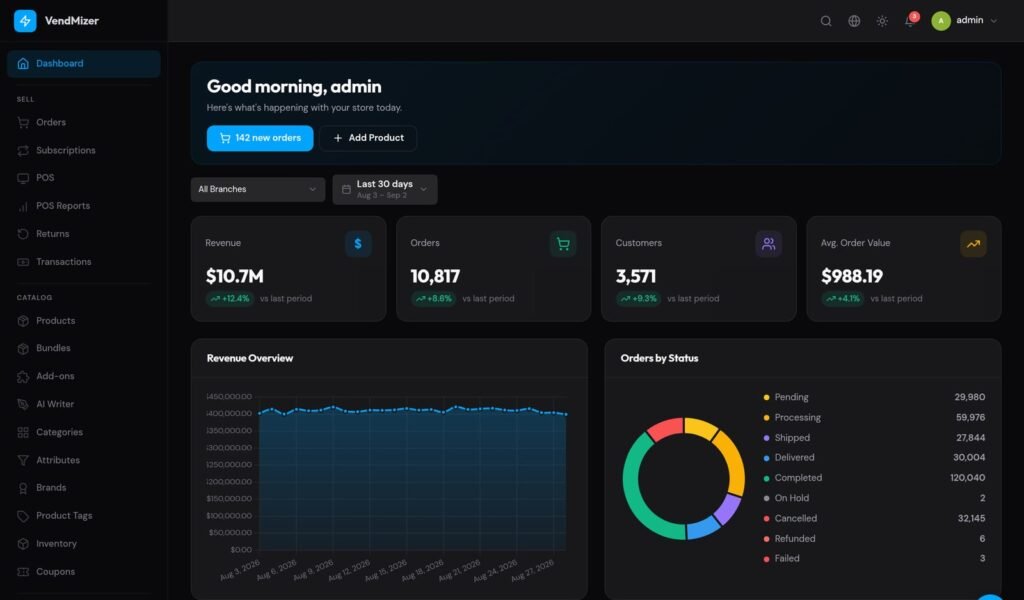
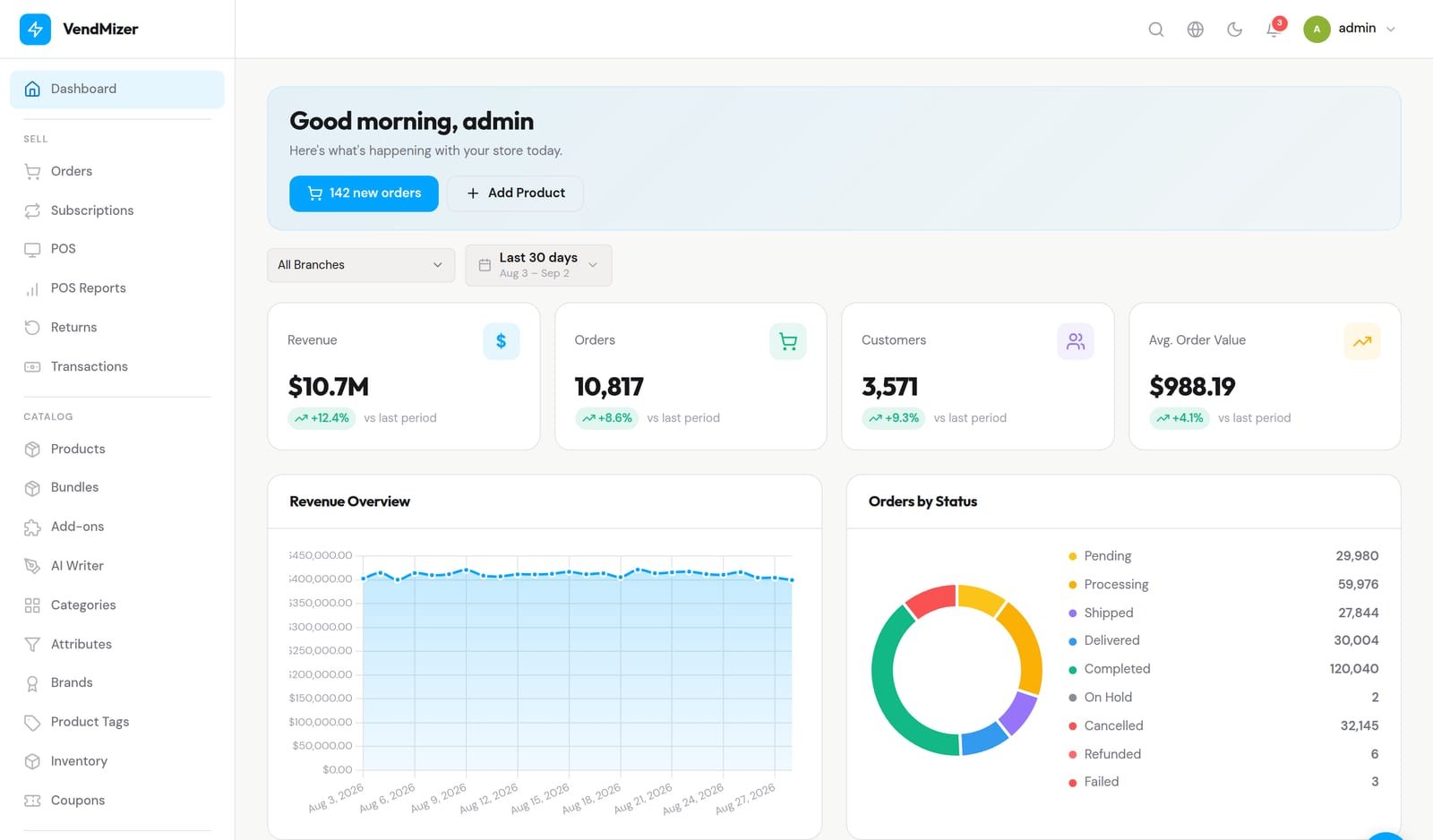
VendMizer gives you one place to manage products, orders, payments, and customers. This connected workflow can make it easier to identify what needs attention, respond to customer questions, and keep fulfillment moving. Store analytics also provide a practical view of revenue, orders, and customer activity as your business develops.
Store revenue, orders, and customer metrics in the VendMizer dashboard
7. Recover missed sales
Some shoppers add products to a cart and leave before completing checkout. Instead of treating every abandoned cart as a lost cause, review the information your store captures and create a clear follow-up process that respects customer consent and applicable communication rules.
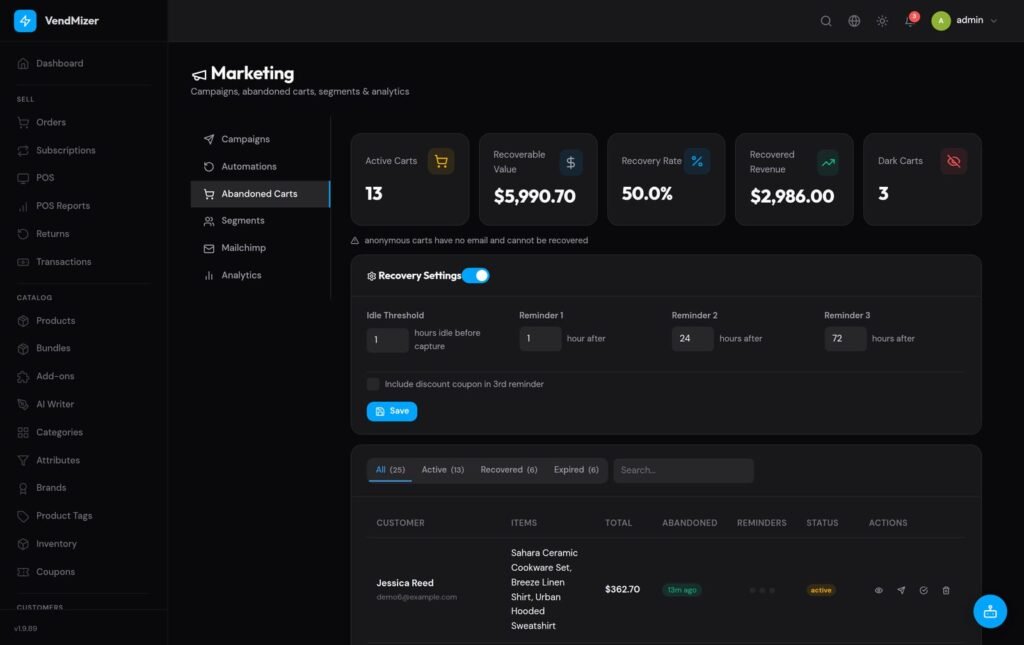
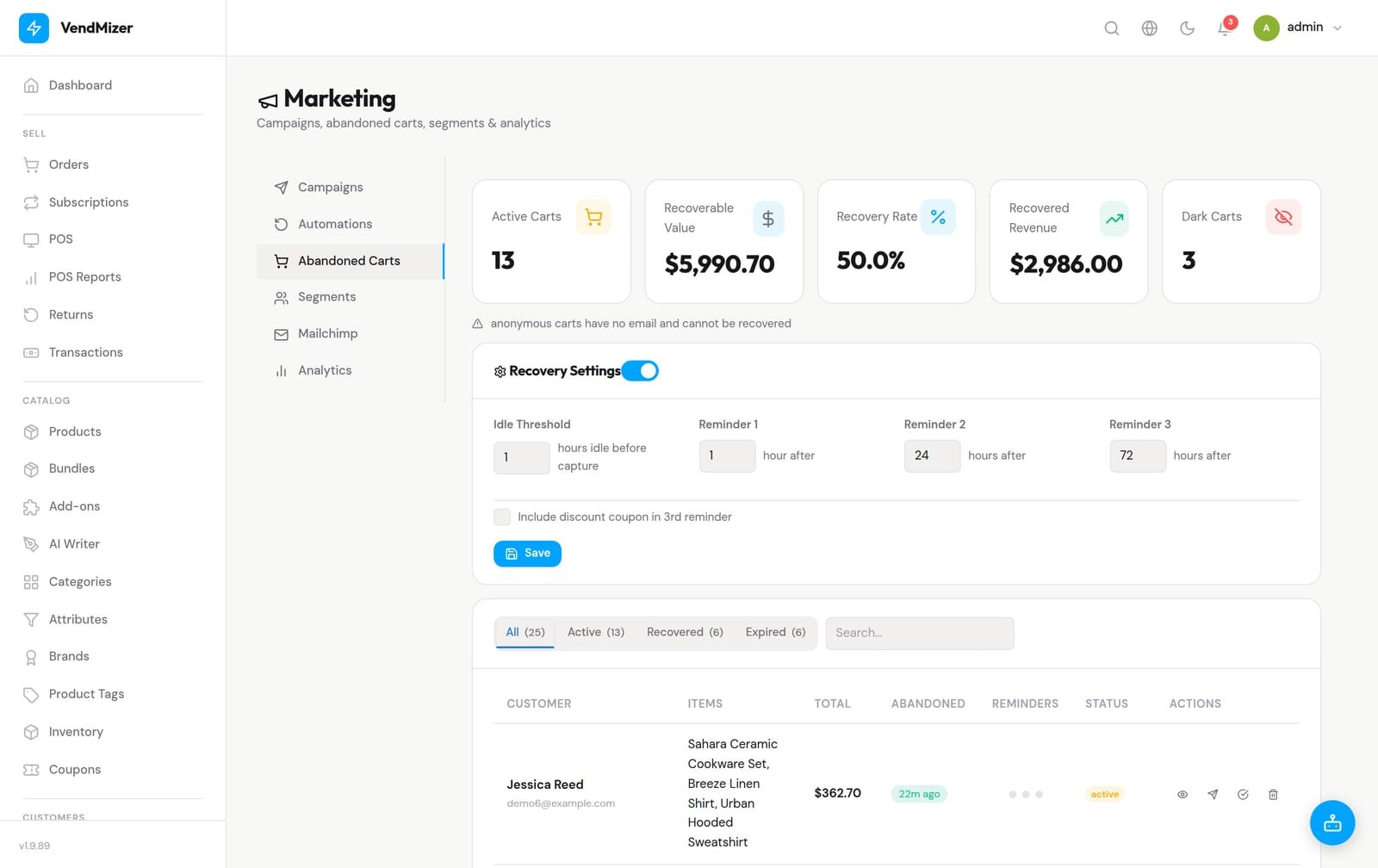
VendMizer includes an abandoned-carts dashboard with recoverable revenue, recovery rate, and a list of captured carts. This gives you a focused way to identify unfinished purchases and decide which follow-up actions make sense for your business.
Review recoverable revenue and captured carts in VendMizer
8. Sell in more than one language
If your customers speak different languages, a single-language storefront can create unnecessary uncertainty. Your product names, descriptions, navigation, checkout messages, and customer communications should match the markets you serve.
VendMizer supports multilingual commerce and full RTL support, helping you present a storefront in languages such as English and Arabic while respecting right-to-left layout requirements. This is especially useful for businesses serving both international and Arab or Gulf customers. Translate the meaning naturally, check every customer-facing screen, and confirm that prices, forms, and checkout remain easy to use in each language.
9. Add in-person selling when your business needs it
An online store may eventually need to support markets, pop-up events, retail counters, or a physical location. Using a separate sales process can make product and order records harder to reconcile.
VendMizer includes POS capabilities for desktop and mobile workflows. You can work with a product catalog, scan a barcode with a phone camera, take payment, and prepare a receipt. Connecting online and in-person selling in one platform helps reduce duplicate product management and gives you a more consistent view of sales.
When should you move from VendMizer Free to VendMizer Pro?
Start with VendMizer Free when you need the core foundation for launching and running your store. It can be a sensible choice for validating your catalog, learning your fulfillment process, and establishing a dependable daily workflow without paying for a platform subscription.
Move to VendMizer Pro when your store needs additional capabilities available in the Pro plan. Before upgrading, identify the specific operational problem you want to solve, such as a more advanced workflow, expanded integrations, or additional tools for growth. A clear reason makes the upgrade easier to evaluate than adding features simply because they are available.
Build a store you can manage confidently
A free online store should still have a serious foundation. With WordPress and VendMizer Free, you can keep your store in an environment you control, manage core commerce tasks from one connected system, and serve customers across languages and RTL layouts. You can then expand with VendMizer Pro as your business requirements become more specific.
Begin with a focused catalog, straightforward checkout, accurate policies, and a repeatable order process. Once those basics work well, use your dashboard insights and customer feedback to improve the store one practical step at a time.